Software & Comparisons
Best Tattoo Machines in 2026: How to Choose the Right One
How to read a tattoo machine listing, which specs to compare, and when a budget kit stops making sense. Spec numbers come from the makers, not from us.
We didn’t bench-test a stack of machines for this guide, and you should be wary of any roundup that says it did without showing photos, settings, and healed work. What we can do is show you how to read a machine listing, which numbers to compare, and where a budget kit stops making sense.
If you’re still deciding between coil, rotary, and pen machines, start with our guide to coil vs rotary vs pen machines. This page assumes you’ve picked a type and now have twenty browser tabs open.
Pick the machine for the work you do most
If you’re starting out, a rotary pen is the easier buy. It takes cartridges, it’s quiet, and there’s no spring tuning before every session. Coil machines still earn a place for bold traditional linework, but they ask more of you on setup and upkeep.
Wireless pens add one more thing to think about: the battery. A pen that dies halfway through a back piece costs you more than the price difference on a spare battery.
The numbers to compare on a listing
Spec sheets look alike until you know which lines to read. These are the ones worth comparing side by side:
- Stroke length. Shorter strokes give you more control for lining and fine detail, and longer strokes hit harder for packing color and solid black. Some pens let you pick from several strokes, which can save you buying a second machine.
- Needle depth (sometimes listed as needle length or “hit”). This sets how far the needle can extend past the cartridge tip.
- Voltage range. A wide range gives you room to slow down for soft shading or speed up for lines.
- Weight and length. You’ll hold this thing for hours. Grams on a spec sheet turn into wrist fatigue by the third session of the week.
- Battery capacity and run time, for wireless pens. Check whether the battery is swappable, so one can charge while you work.
- Cartridge fit. Many pens take universal cartridges and some don’t, so check before you buy a box of 20.
A listing that won’t tell you the stroke length or the weight is telling you something.
Two wireless pens, spec by spec
Here are two machines from CNC, with every number taken from the maker’s own product pages (checked November 2026). We haven’t tattooed with either, so read this as a spec comparison only.
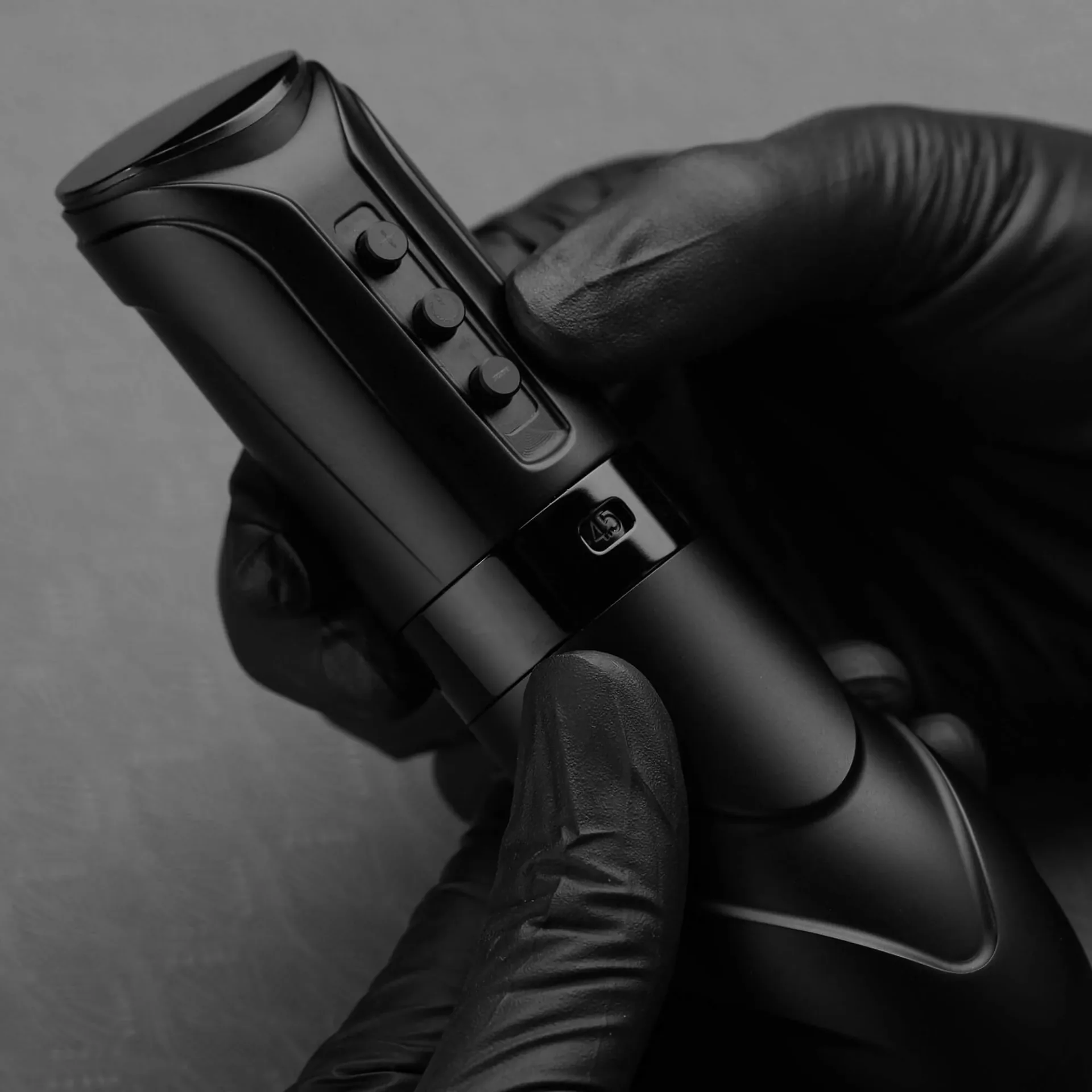
The CNC Kronos wireless tattoo machine has seven stroke settings from 2.7 to 4.5 mm, a voltage range of 4 to 12 V, and a 1900 mAh battery that CNC rates at 4 to 6 hours. It weighs 264.5 g, is 144 mm long, and charges over USB-C in about 3 hours. CNC doesn’t list a spare or swappable battery for it, so a long day means planning a charge between clients.
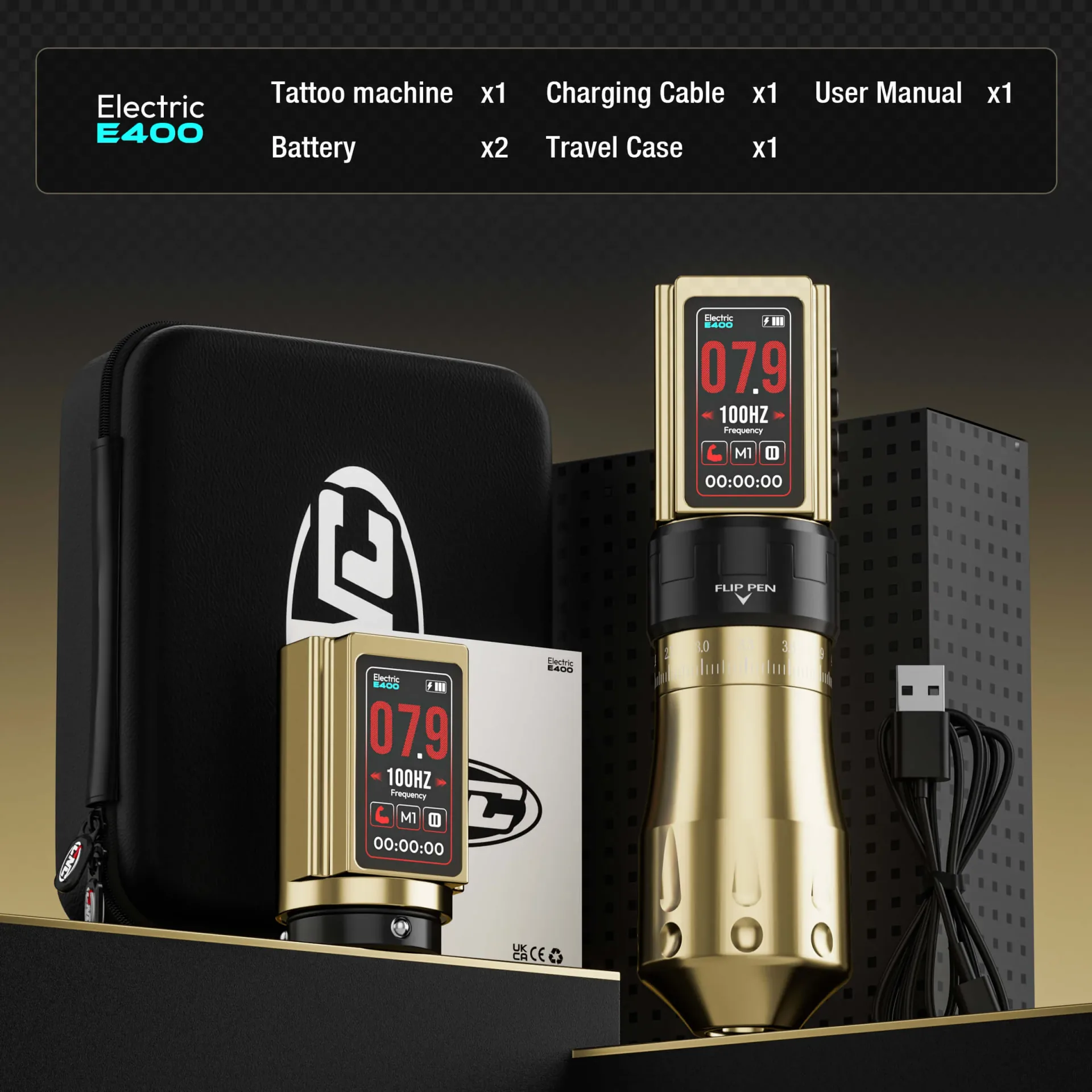
The CNC E400 wireless tattoo pen has seven strokes from 2.4 to 4.2 mm and comes with two swappable 1800 mAh batteries, rated at up to 10 hours combined. It also has a stippling mode for dotwork and three memory presets. The second battery is the real difference here. If you book long sessions, that’s the line to weigh.
Where cheap kits fit, and where they don’t
Search “tattoo machine” on a marketplace and you’ll get pages of all-in-one kits: a pen, a power supply, a few cartridges, sometimes ink. They’re fine for learning to hold a machine, setting voltage, and pulling lines on practice skin.
They’re a gamble on a client. If a kit’s listing skips the stroke length, the motor, and the warranty, that’s your answer. Check that any bundled ink names its maker and batch, and if it doesn’t, keep it off skin. Once you’re working on people, buy from a supplier who can tell you what you’re getting and will handle a return.
Established machine makers such as Cheyenne, Bishop, FK Irons, and Inkjecta cost more up front. Before you pay more for any brand, check that it sells replacement parts and posts its warranty terms. A machine you can repair lasts longer than one you can only replace.
Try one before you buy
Specs only get you so far. Grip shape and balance are personal, and two pens with the same numbers can feel nothing alike in your hand. Conventions and local supply stores are the easiest places to pick a few up. Our free directory lists tattoo supply stores near you, and the guide on where to buy tattoo supplies covers what to check before you order online.
Once the machine’s sorted, the next thing clients judge you on is your healed work. Our guide to building a tattoo artist portfolio covers what to shoot and where to put it.
FAQs
What is the best tattoo machine for beginners?
A rotary pen, wired or wireless, is the easiest place to start. It handles lining and shading well enough to learn both, and cartridges make setup and cleanup simpler. Learn on practice skin first, under a mentor if you can. Our apprenticeship guide covers that side.
Coil or rotary: which do professionals use?
Both. You’ll see rotary pens in most fine line, realism, and color work, and plenty of traditional artists still run coils for lining. Pick the machine for the style you do most.
Are wireless tattoo machines good enough for professional work?
Yes, as long as the battery lasts your longest session. Compare run time against how long you actually book clients for, and look for a swappable battery if you do full days.
Do I need separate machines for lining and shading?
Not with an adjustable-stroke pen. Both CNC pens above let you switch between seven strokes. Some artists still keep two machines set up so they never change settings mid-session, and that’s a fair reason to own two.
How much should I spend on my first tattoo machine?
We won’t quote a number, because machine prices move every few months. Set a budget, then compare three or four machines in it using the spec lines above. Leave room for cartridges and a decent power supply if the pen is wired.
How do I know which tattoo machine to buy?
Decide on the type first, then compare stroke length, voltage range, weight, battery, and cartridge fit. Then hold a few before you commit.
Why do artists say tattoo machine instead of tattoo gun?
Most artists prefer “tattoo machine” because the tool is a precision instrument, not a weapon. Search results and older guides still say “gun,” but in a shop you’ll hear machine.