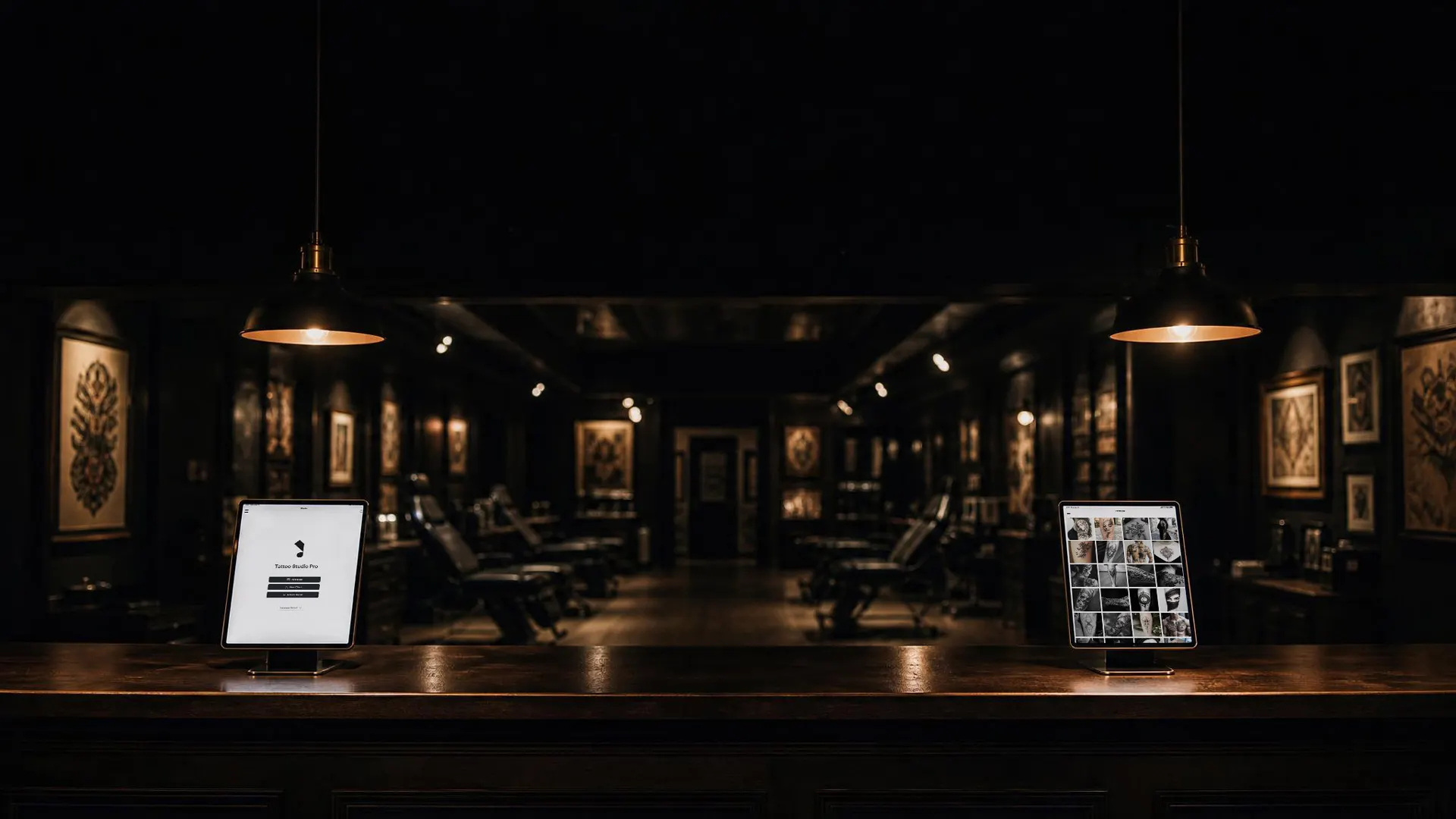
Tattoo studio software that runs the front desk for you.
Booking, consent forms, deposits, reminders and checkout in one app, built for tattoo and piercing studios.
- Candypain Tattoo Krefeld, Germany
- Iconiq Tattoo Studio Fontana, CA
- The Ink Chamber Tiverton, England
- Convergent Tattoo Ocoee, FL
- Unholy 13 Tattoo Studio Carterton, England
- Euphoric Body Arts Amarillo, TX
- Inkubus Uherské Hradiště, Czechia
- Ascendant Tattoo Rialto, CA
- Eastern Promise Tattoo Sydney, Australia
- Prestige Body Art Howell, MI
- Total Commitment Tattooing Johnstown, PA
- Irish Rose Tattoo Westerly, RI
- Seven Deadly Skins Ridgecrest, CA
- Fineline Ink Winston-Salem, NC
- Premium Clan Tattoo Studio San Jose, CA
- The Sunken Ship Tattoo La Salle, IL
- Pretty In Pink Rapid City, SD
- Iconic Lines Studio San Diego, CA
- Integrity Tattoo Company Biloxi, MS
- PINKED: Lines & Lashes Boulder, CO
- Mississippi Roots Salon Vicksburg, MS
- Desert Rose Tattoo Reno, NV
- Seven Cities Tattoo Co Portsmouth, VA
- Across the Pond Tattoo Co. Nashville, TN
- Death and Taxes Tattoo Denver, CO
- Onyx Tattoo Studio New Braunfels, TX
I save a half hour and I get an extra half hour at home with the fam. That's a major deal for me.
Sound familiar?
-
A booking app, a forms app, a payment app, a spreadsheet, a notes app. You double-doing the work to keep them lined up.
-
No-shows eating into your month because the reminder system is a text thread you manage by hand.
-
Paper waivers stuffed in a filing cabinet that only opens when the inspector shows up.
-
End-of-day math that takes an hour and still somehow disagrees with the card terminal.
-
A client texting at 9pm asking if you got her deposit, and three places to check before you can answer.
You're a tattoo artist, not an IT manager. You shouldn't have to be.
Before. After.
- Apps that don't talk to each other
- A separate monthly bill for every tool
- Admin bleeding into nights and weekends
- Paper forms, manual reminders, end-of-day guesswork
- Client info scattered across apps, notebooks, and DMs
- Every part knows the others
- Every feature on every plan, one subscription
- Admin that fits between clients, not after them
- Digital forms, unlimited SMS reminders, deposits collected automatically
- One client file. Every session, form, photo, and payment in it
How a studio day runs.
Tattoo studio software should follow the floor, not force the floor to follow the software. Here is the path from a booking request to a closed ticket, with the real screens your team uses.
Requests land. You approve.
Tattoo studio software should start where the day starts: the inbox. Clients send a booking request through your form. You pick the time. The rest follows from that appointment.
-
Intake form, not DMs
Requests arrive with the details you asked for.
-
You stay in control
Approve, reschedule, or decline before anything is locked in.
-
Questions stay in the inbox
Message the client about a request. They reply by email or on a private chat page.
Money and texts, tied to the booking.
A unique deposit link goes out with the confirmation. Up to five SMS reminders fire off the same appointment. Unlimited SMS reminders on every plan.
-
Deposit link in the text
Clients pay through Stripe. The booking confirms when it clears.
-
Reminders you do not babysit
Build the sequence once. It rebuilds if the appointment moves.
Consent done before they sit down.
Booked clients get a check-in link. Walk-ins scan the QR on your counter. Either way the form is signed on their phone, and the finished PDF files to their profile.
-
Check-in link in the reminder
Regulars can finish paperwork before they walk in.
-
QR for walk-ins
Same form, their phone, no shared stylus.
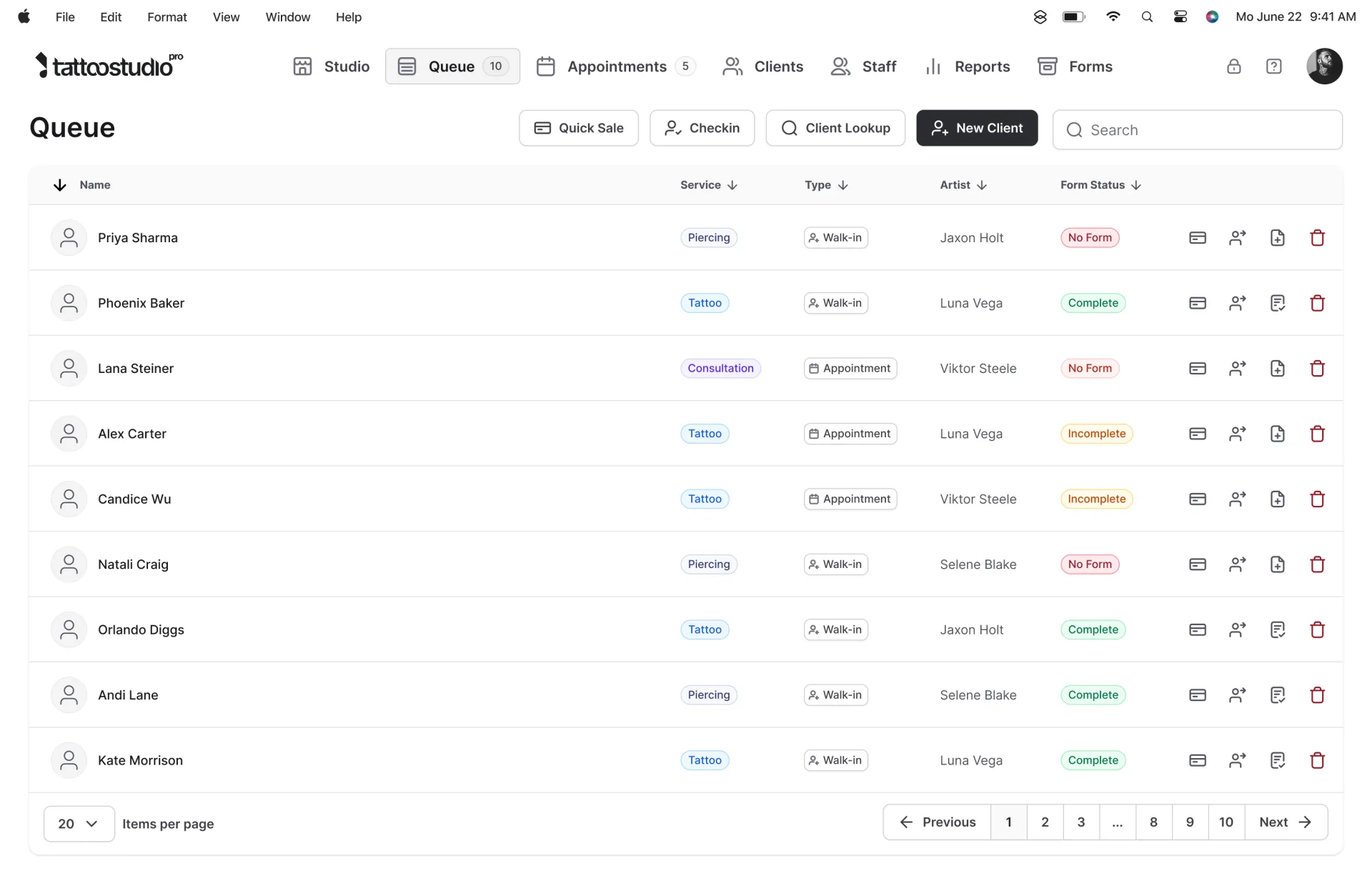
One screen for the whole floor.
The Queue shows who is in, what state they are in, and what they need next. Check-in, forms, session timer and checkout live on the same view.
-
Walk-ins and bookings together
One floor view, not a calendar fighting a forms app.
-
Live across devices
Front desk and a second station see the same queue.
Paid, tipped, and assigned to the artist.
Take the card in person or online. Tips and service lines attach to the artist. Reports cover revenue, commissions, tips, deposits, taxes and payouts, with CSV export for your bookkeeper.
-
Checkout from the Queue row
No retyping the visit into a separate terminal app.
-
Reports that match the day
Filter by date, staff, or payment method, then export.
-
Commission your way
One rate, separate cash and card rates, product rates, pay periods, or a sliding scale. Artists see their own numbers.
On every plan.
- 01
Every feature on every plan
Plans differ by active team spots. Managers and Health Officials are free.
- 02
Unlimited SMS reminders
Up to five messages per appointment. No per-text charge.
- 03
Website and hosting included
Your Tattoo Studio Pro subscription includes a website and hosting.
- 04
Free client data import
Client list always. Appointments or other client data if the old platform can export it. Data only, not stored consent form files.
Plans start at $29/month. See current plans. Opening a new studio? Six months free if you opened in the last 3 months, or are about to open.
What you get.
Your floor, at a glance.
One screen for everyone in the shop. Who's in, what state they're in, what they need next. Check-in, forms, session and checkout all live here.
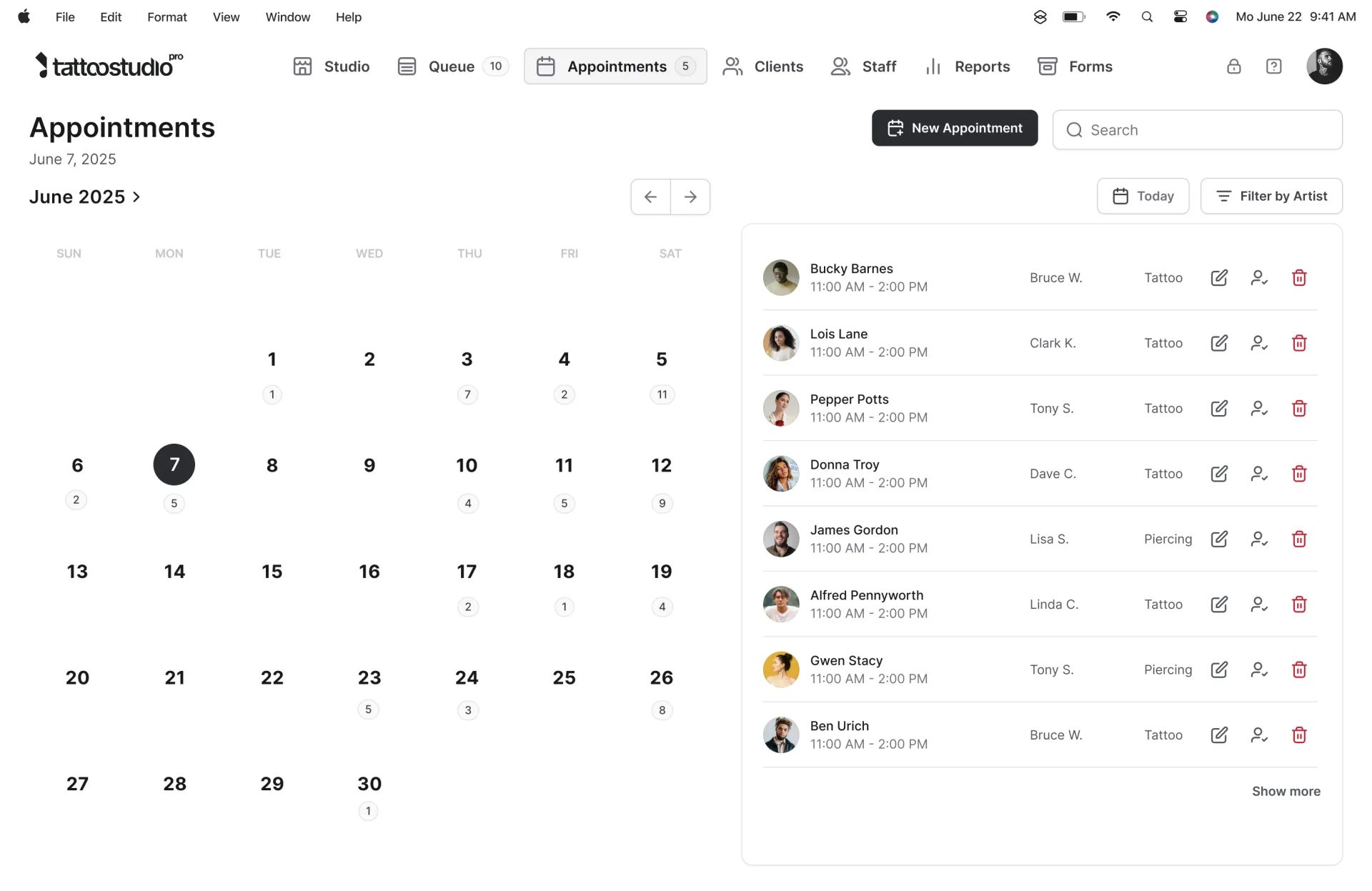
Appointment booking
Booking requests come in through your intake form. You approve. The deposit link and reminders go out automatically. No more DM ping-pong.
Client messaging
Reply to a booking request from your Inbox. Your reply goes to the client by email with a link to a private chat page. They answer by email or on the page, with photos if they like, and never need an account or the app.
Online deposits
A unique deposit link ships with every booking. Clients pay through Stripe. The appointment auto-confirms when the money clears.
Unlimited SMS reminders
Up to five reminder messages per appointment, sent off the booking automatically. Unlimited SMS reminders on every plan.
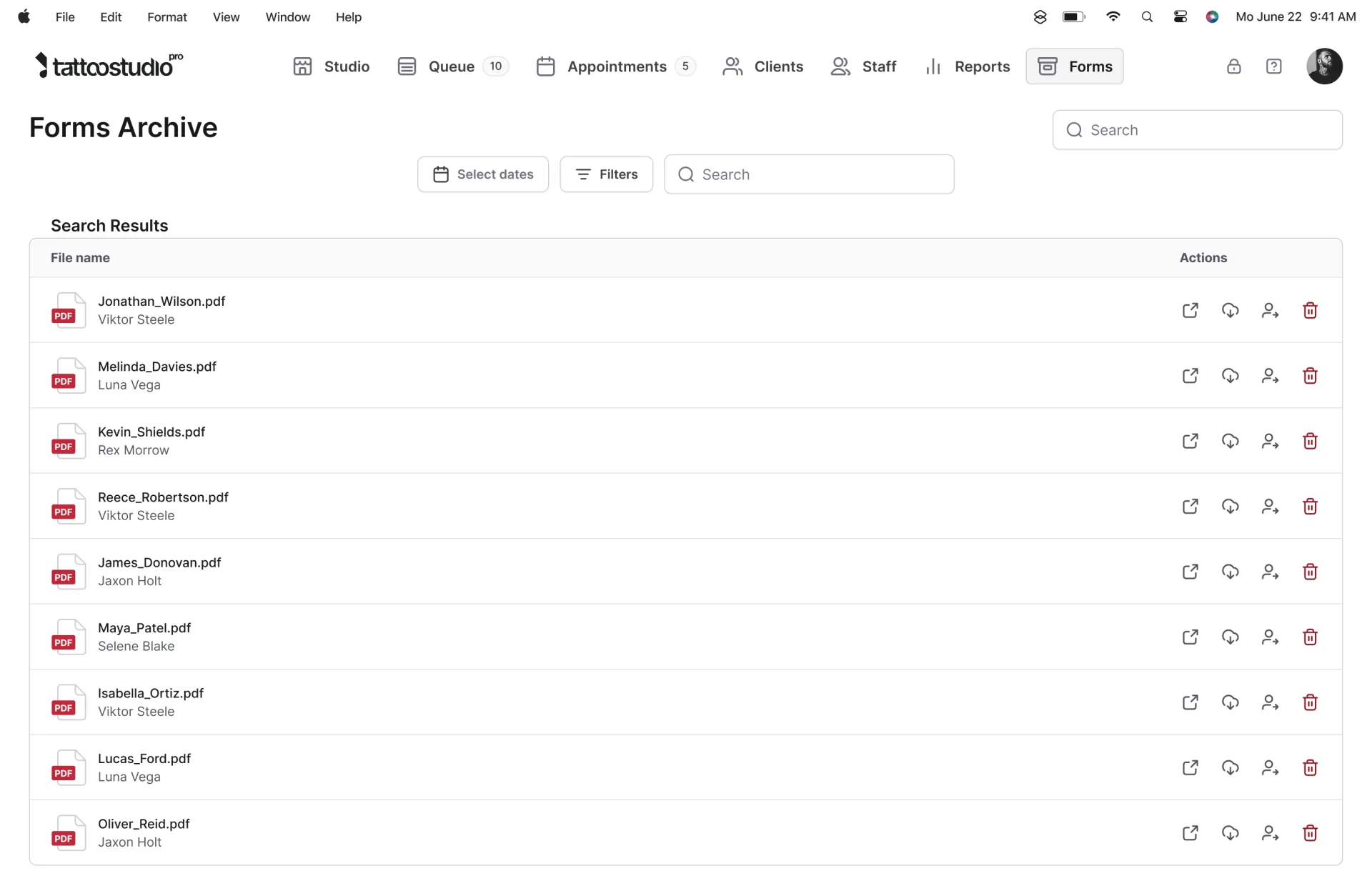
Digital consent forms
Booked clients get a check-in link and arrive done. Walk-ins scan the QR code on your counter and fill it in on their own phone. Either way it is signed, and finalising it files a PDF to their profile.
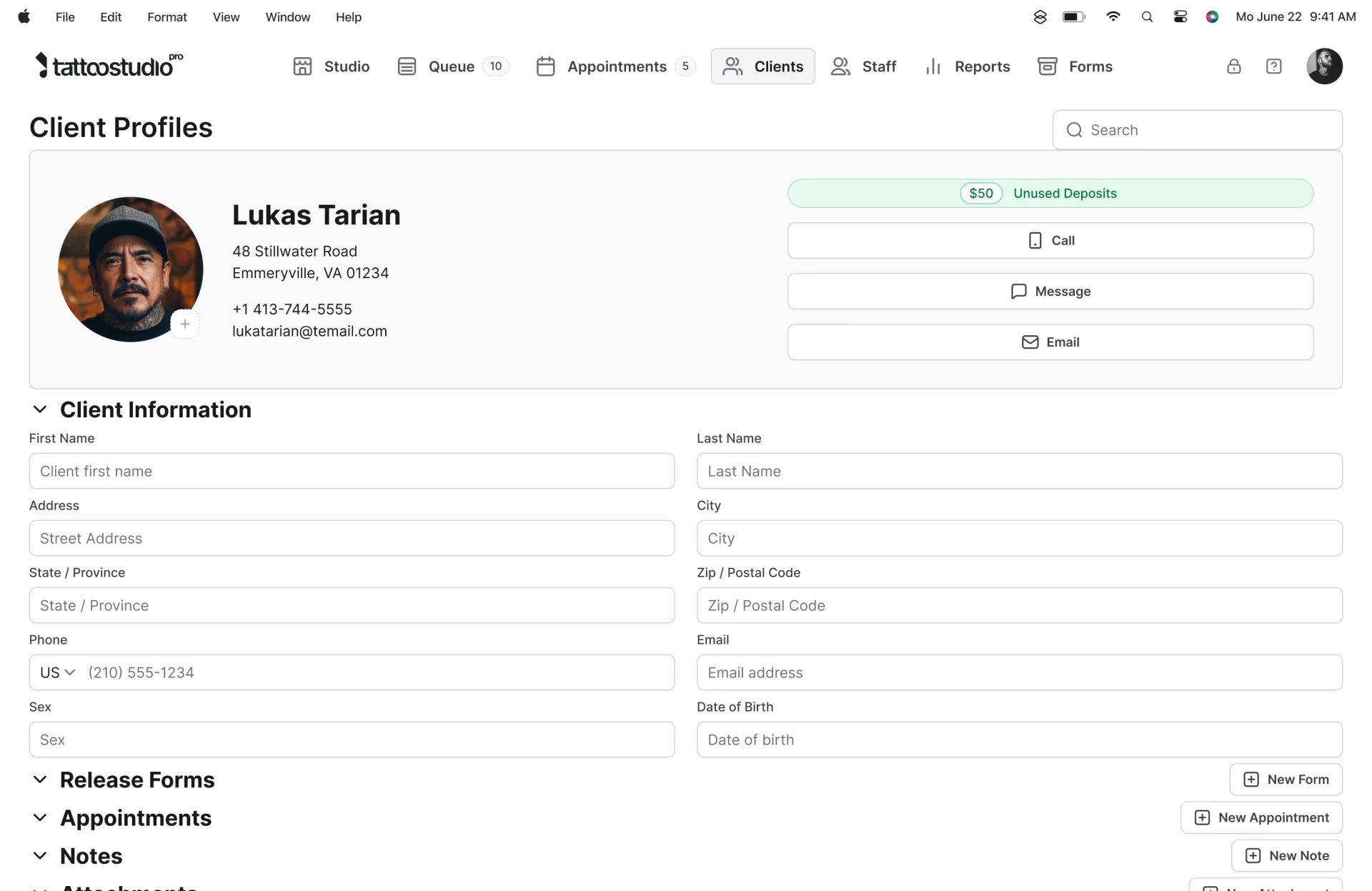
Client profiles
Every session, form, note, and payment in one file that grows with the client, so their history is there the next time they book.
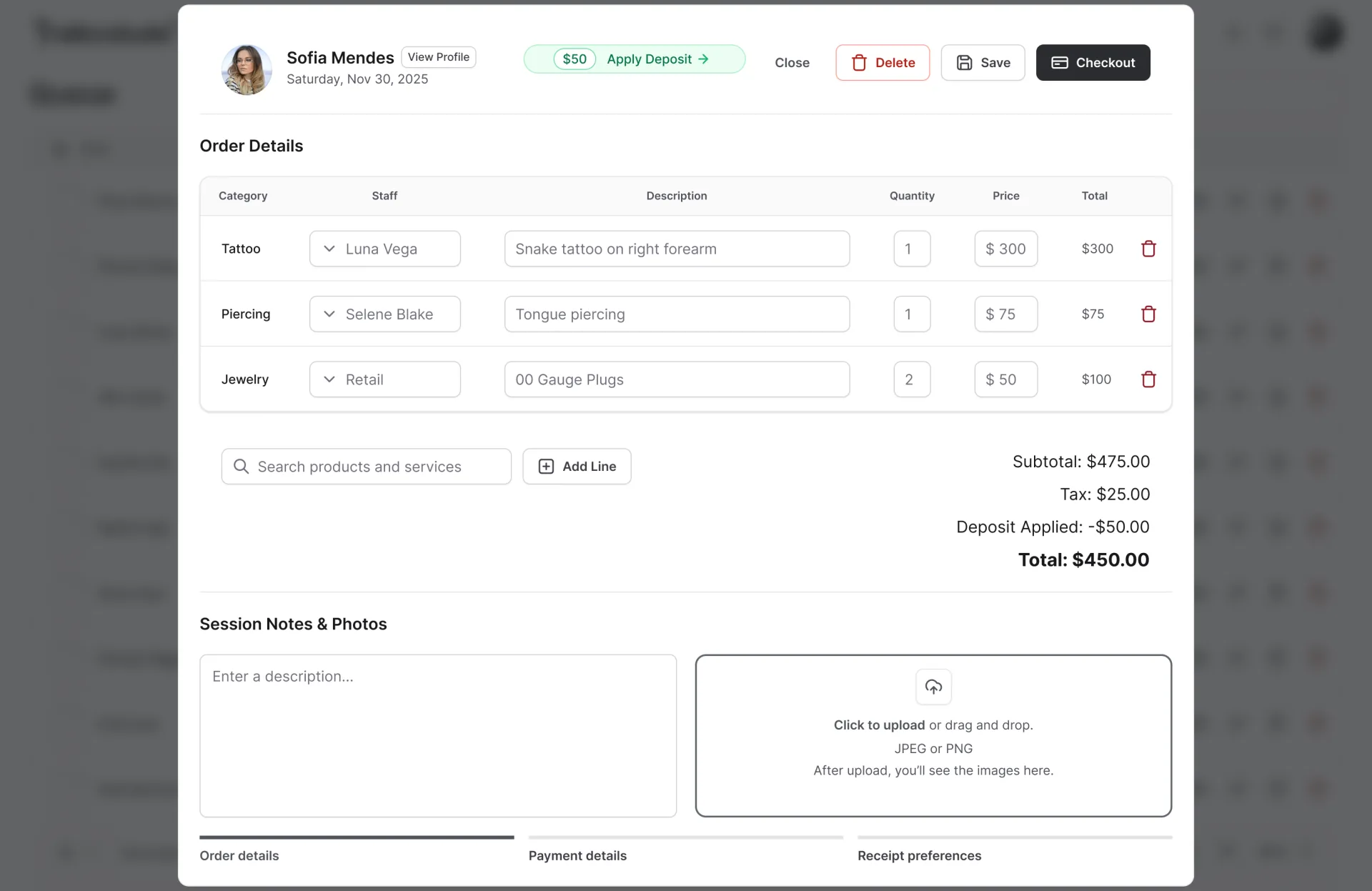
Point of sale
Take the card in person on a counter or Bluetooth reader, or online through Stripe. Where available, clients can pay over time with Klarna, Afterpay or Affirm on the online payment page while you get paid in full up front. Every service line is assigned to an artist, so commissions and tips report by artist.
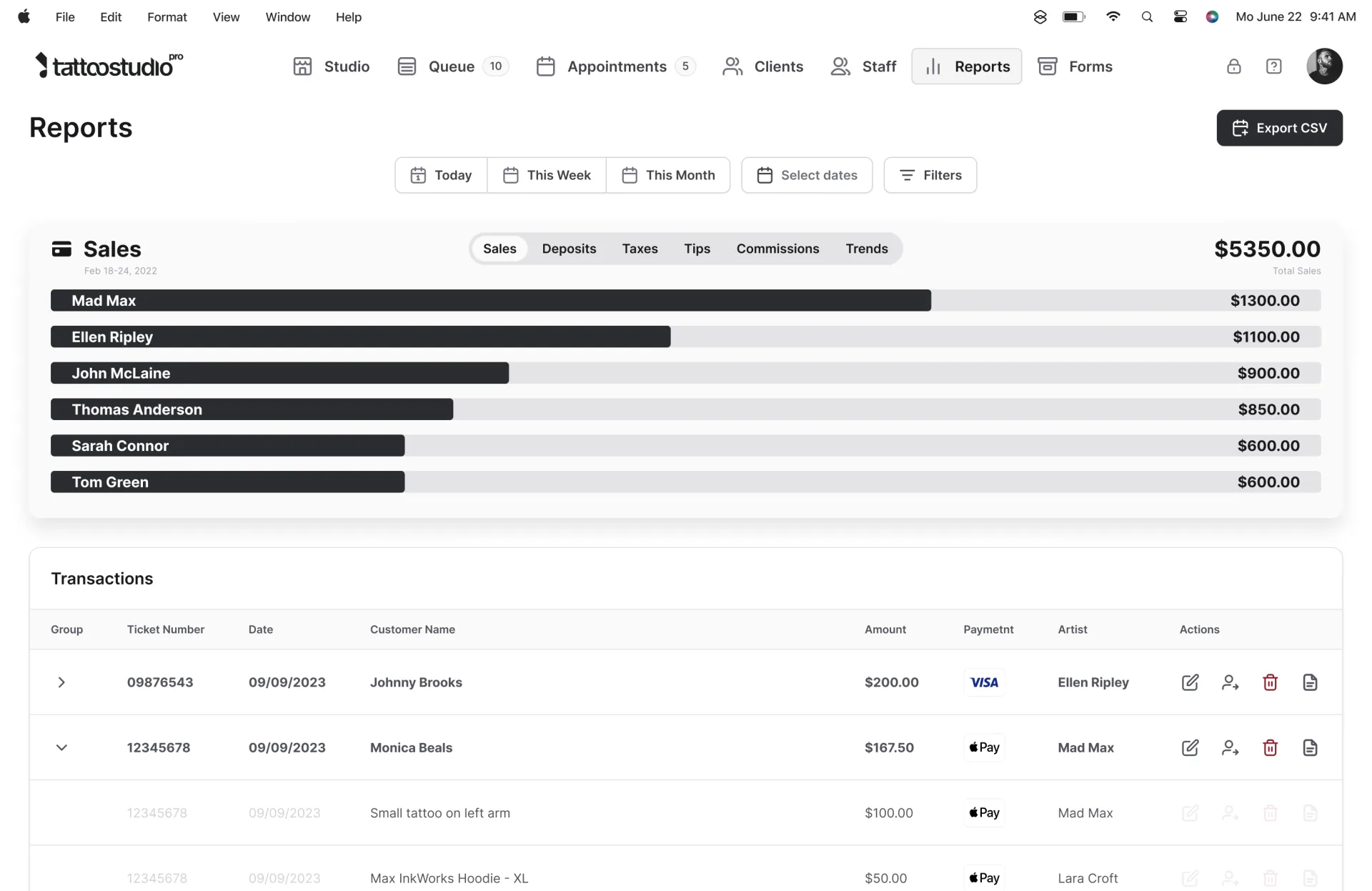
And it all reports back.
Revenue, commissions, tips, deposits, taxes and payouts. Filter by date, staff, or payment method, then export to CSV for your bookkeeper.
Bookings are where most of the day starts. See how our tattoo booking software turns requests into confirmed, deposit-paid appointments.
How we compare.
A tattoo shop is not a hair salon. See the features a shop should have, then how we compare, head to head.
A studio is not a startup.
It runs on craft, schedule, and trust.
Generic software bends those things until they break.
We build software that disappears
behind the work.
Three steps. That's it.
-
Sign up.
Create your account on the web and start your 30-day trial. Every plan has every feature.
-
Set up.
Add your artists, your services, and your forms. The trial quickstart gets you to a first check-in in about 30 minutes.
-
Run it.
Booking, forms, deposits, reminders, checkout. The system handles the admin. You handle the art.
Common concerns.
"What if it's too expensive?"
Every feature is on every plan, and pricing only changes with how many team members are active. Unlimited SMS reminders on every plan, and your subscription includes a website and hosting. Plans start at $29/month. See current plans. Opening a new studio? If you opened in the last 3 months, or are about to open, you can apply for 6 months free.
"Switching from another platform sounds painful."
It's not. Free client data import is included. Import it yourself from a CSV or Excel file, or send us your export and our team does it at no charge, including contact info and notes. Client list always, plus appointments or other client data if the old platform can export it. Data only, not stored consent form files.
"What if I don't like it?"
Start with a 30-day trial. It's risk-free: cancel anytime, and monthly plans have no contract. Prefer a walkthrough first? Book a 1:1 demo.
Real studios. Their words.
Working tattoo and piercing studios on what changed when they moved to one system.
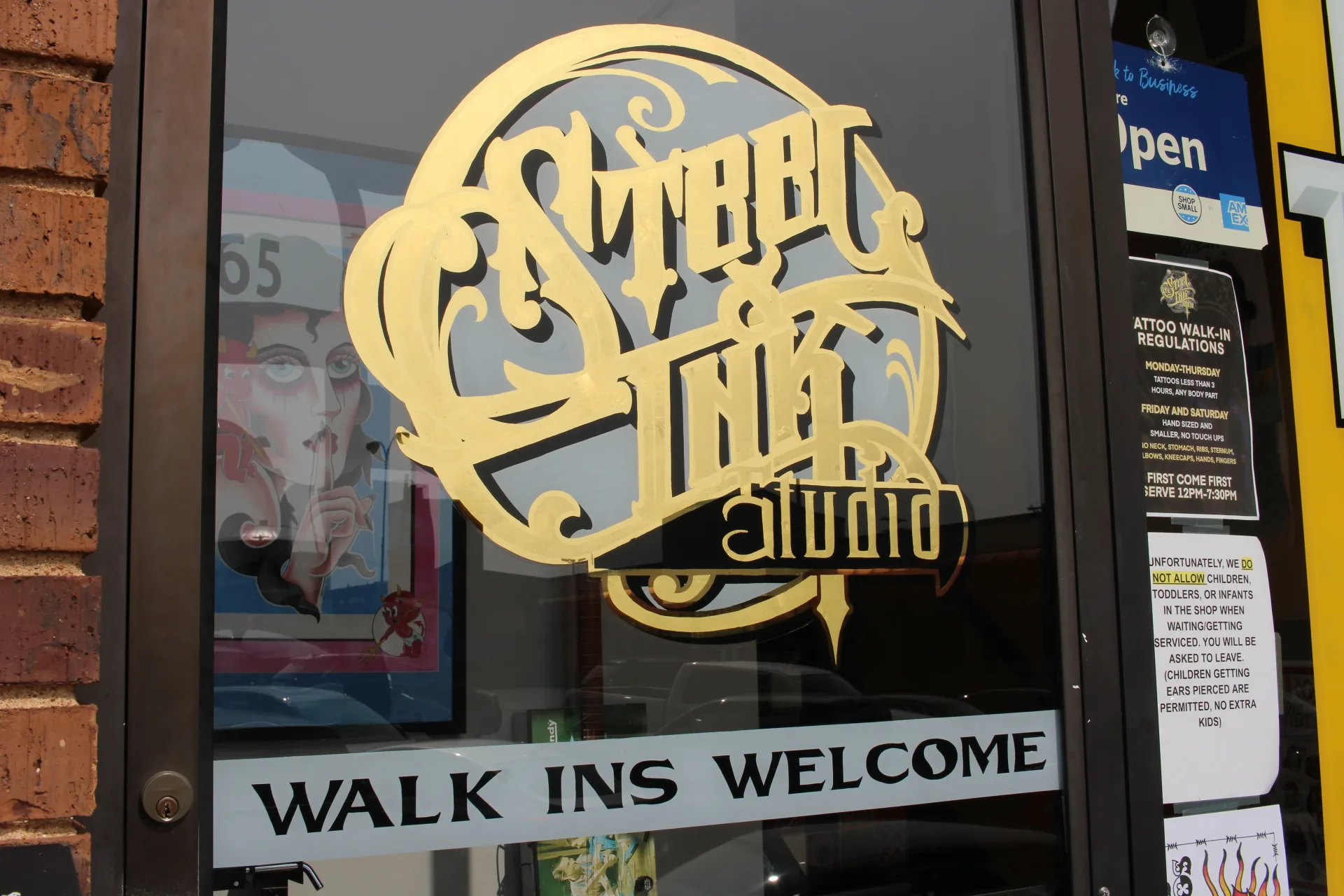
St. Louis, MO
Steel and Ink Studio
"Tattoo Studio Pro has been the most efficient app for us. Everything's right there for you."
Read Brandie's story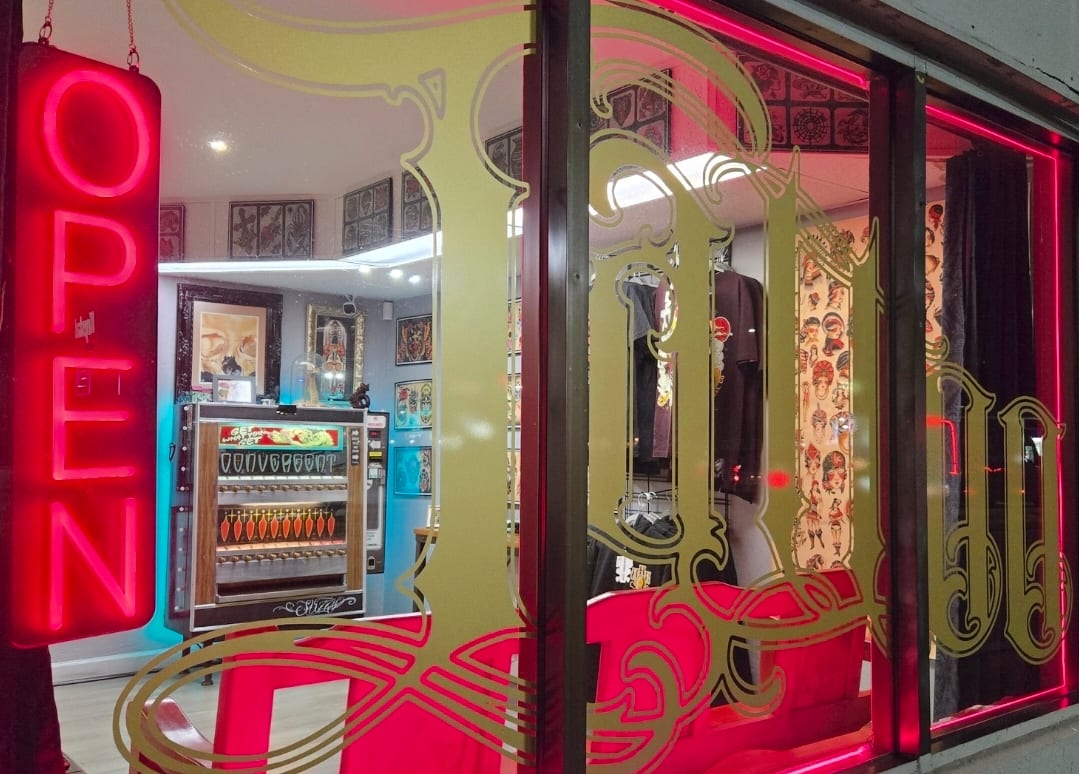
Daytona Beach, FL
Convergent Tattoo
How the owner got his evenings back.
Read Jimmy's story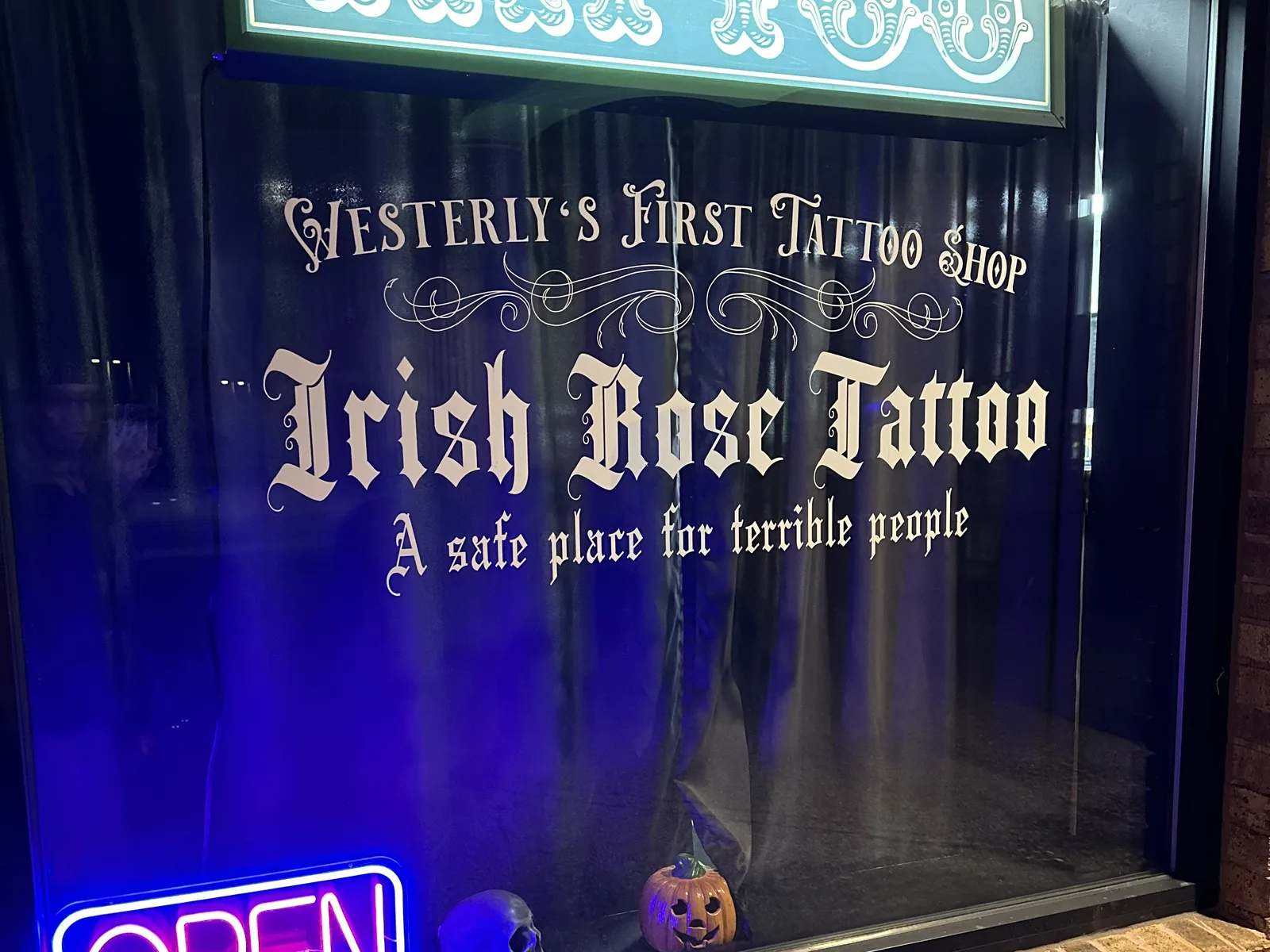
Westerly, RI
Irish Rose Tattoo
"There's some days where if we were doing actual paperwork, we'd be there for hours, literally."
Read Josiah's storyQuick answers.
I'm already using other apps. Why switch?
Because the apps don't talk to each other. Tattoo studio software built for tattoo shops puts booking, consent forms, deposits, reminders, checkout and reports in one system, so every part knows the others. Free client data import is included if you're coming from another platform: your client list always, plus appointments or other client data if the old platform can export it. Data only, not stored consent form files.
I'm not tech-savvy. Is this going to be a headache?
If you can use Instagram, you can use Tattoo Studio Pro. It runs on your tablet, your phone, and the web. No IT degree required.
What does it cost?
Every plan includes every feature. Plans differ only by how many team members can be active at the same time, and Managers and Health Officials are always included free. Plans start at $29/month. Annual billing saves about 30%. See the pricing page for current plans.
Do I need a credit card to try it?
Yes. A payment method is required to start your 30-day trial. The trial is risk-free, and you can cancel anytime.
Are there contracts or commitments?
No. Monthly plans cancel anytime. Annual billing saves about 30%.
Do all plans include the same features?
Yes. Every plan includes every feature, including unlimited SMS reminders on every plan. The only difference is how many team members can be active.
Does it include a website?
Yes. Your Tattoo Studio Pro subscription includes a website and hosting. Building a portfolio is free with no image limit, and you can download it as a ZIP and host it anywhere for free. If you are not a subscriber, Tattoo Studio Pro hosting is optional at $10/month or $100/year.
Does it handle tattoo bookings?
Yes. Clients send booking requests through your online form, you approve them, and the confirmation text carries the deposit link. Reminders, consent forms and checkout follow from the same appointment.